fesco online bill Check [April 2026]
You can check your Fesco online bill by Putting your 14-digit Reference number or 10-digit Consumer id in the Given Box
Check Fesco Bill online here

Search Your Electricity Bill
What is FESCO?
Basically FESCO is Full Form of Faisalabad Electricity Supply Company, which is consider as the one of the largest electricity distribution companies of Pakistan, this company is for the welfare of peoples of Pakistan as well as FESCO is build for the population of Faisalabad, as well as its nearby districts.
FESCO is known well because of its stable electric system and well maintained department, which is own by Pakistan GOVT, also servicing about 4.6 Million consumers of Faisalabad as well as all of the punjab.
FESCO Coverage Area
| District | Major Cities |
| Faisalabad | Faisalabad City, Sammundri, Jaranwala, Tandlianwala |
| Jhang | Jhang, Shorkot, Athara Hazari |
| Toba Tek Singh | Toba Tek Singh, Kamalia, Gojra |
| Sargodha | Sargodha, Bhalwal, Shahpur, Sillanwali |
| Mianwali | Mianwali, Isa Khel, Kundian |
| Bhakkar | Bhakkar, Darya Khan, Mankera |
| Khushab | Khushab, Quaidabad, Noshehra |
| Chiniot | Chiniot, Lalian, Bhawana |
No Matter in which area of Faisalabad you are located, you can check your electricity bill online by using www.fescoonlinebill.com.pk
Head Office Address
Faisalabad Electric Supply Company
West Canal Road, Abdullah Pur
Faisalabad, Pakistan
📞 Telephone: +92-41-9220184, 9220229
📠 Fax: +92-41-9220233
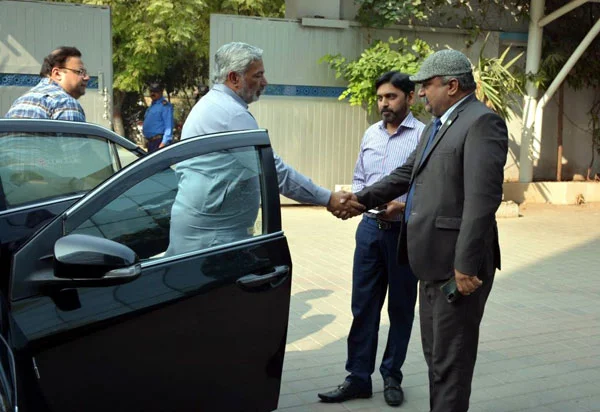
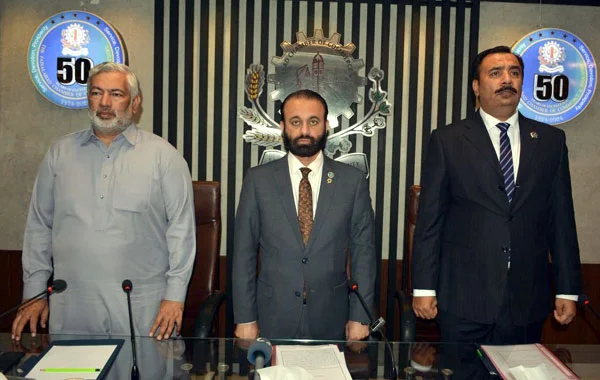
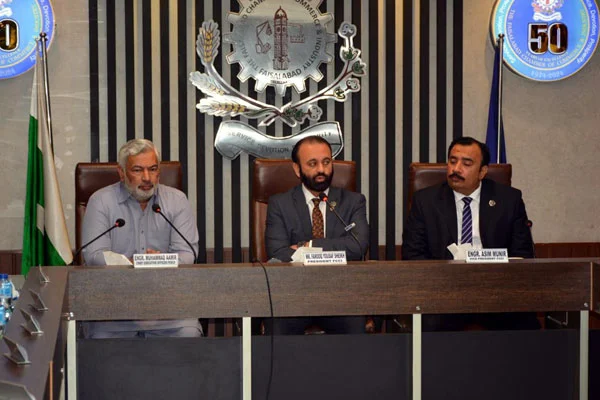
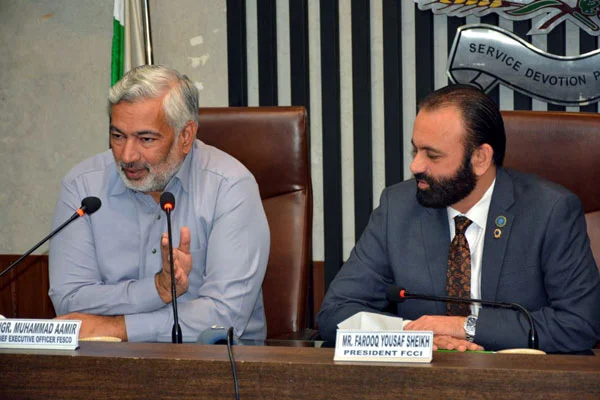
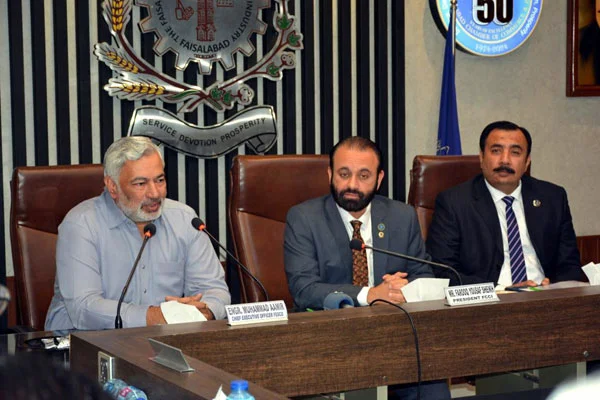
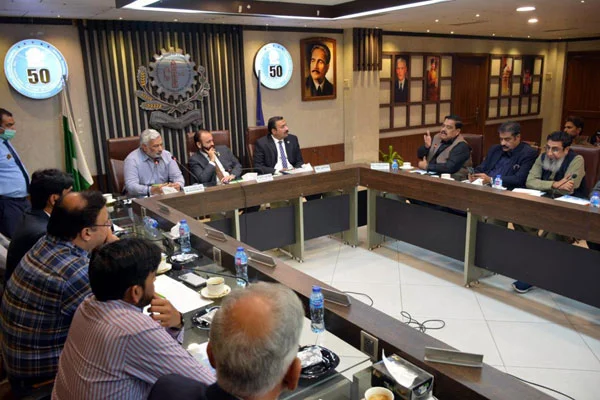
FESCO Office Meeting




How to Check FESCO Bill Online
if you are the citizen of faisalabad and want to check your electricity bill on your mobile phone or laptop, you don't need to go to any shop and ask them to check your house, area, electricity bill online, you can do it on your own, you need to follow these simple and easy steps:
- Open your browser and Go to www.fescoonlinebill.com.pk
- you will see a box, where you need to put your bill 14-digit bill refrence number, which is written on your old printed bill of electricity
- if you don't find refrence number, you can use 10-digit consumer ID
- Click on the Check Bill Button
- wait for few seconds, page will get reload and your bill will get automatically load
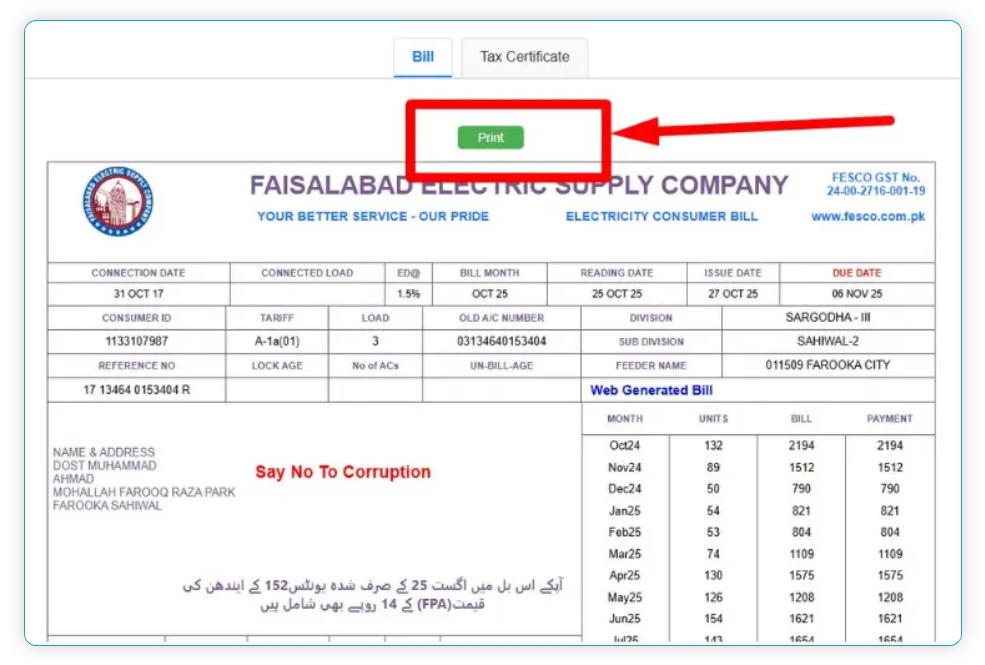
- you can click on the open my bill option and print or download the bill by clicking on the print button, if you want want to get print, you can click on the download button.
Features of FESCO Online Billing
Now a days, in this modern era, everyone prefer to pay the bills online, which is also good and easy as well as fast way to pay the bills, without getting time waste
Easy to Pay
by online payment gateways, its safe, trusted, fast way to pay the bills online for free in a very short time
anywhere, anytime
you can pay your electricity bills anywhere, anytime without any hustle, you can also print, download as well as check the status of your bill is payed or not.
Keep Records
you can also keep the records of your payment, Thats you have also proof that you have pay the bill
if you are late no issue
now a days in this busy routine, its not easy for everyone to pay the bill physically, so you can get the bills online and pay them in just few mints.
instant payments
in this payout options, you can pay the bills online without getting tired, or need to be worrid.
How to Find 14-Digit Reference Number
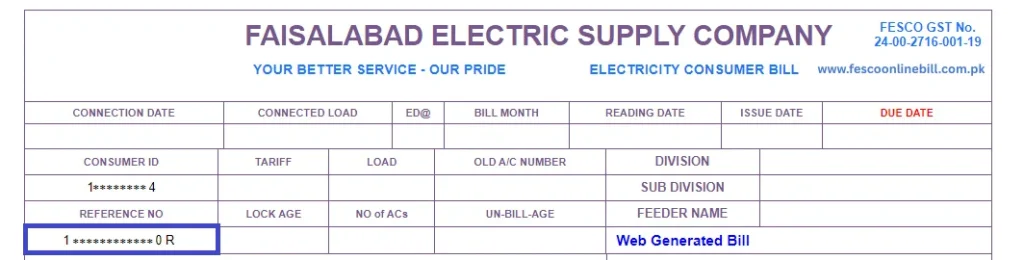
you can find your bill refrence id by checking your electricity bill of previous month, you have to read the bill headings carefully, you can find the refrence id which is located on the left top corner under the consumer id.
you can get help from the below picture, to find the exact location of reference id
How to Find 10-Digit Consumer ID
You can find out your bill consumer id, which is located on the top left corner of your previous electricity bill, if you did not find, you can get the help from the below picture to find your consumer id.
How to Download or Print Your FESCO Bill
After entering your reference or consumer id in the box wait for few minutes, when bill get load, you can find the print option on the top of the page, you can download or print the bill by clicking on the print button.
To Download in PDF:
- Click the “print” button.
- Click on the navigational arrow and choose save as PDF.
- click on save button, this blue button will appear on botum of screen.
- Thats it, your bill is saved in your device, You can open it anytime, even without the internet.
- To Print:
- Connect your printer.
- Click on “Print Bill.”
- Use this print copy to pay your bill at any bank or post office.
FESCO Online Services for Consumers
you can find your bill reference id by checking your electricity bill of previous month, you have to read the bill headings carefully, you can find the reference id which is located on the left top corner under the consumer id.
you can get help from the below picture, to find the exact location of reference id
How to check and download tax certificate
Follow these simple and easy steps to check and download tax certificate easily:
- when you put your reference id or consumer id, and press enter to get the bill details
- you can check certificate from the bill by clicking on the right side of bill and click on it
- your tax certificate will be shown on the screen
- [ Remember : income tax will be only appear, if you were paying income tax by electricity bill]
- you can download the bill of income tax by clicking on the download button and requirements.
FESCO Online Services for Consumers
FESCO offers many online services to make its customers’ lives easy, Below are some of FESCO online services.
- FESCO SMS Service
- Email Online Billing Service
- Complaint Registration
- Online Application Tracking
- Load Management Updates
- These services save time and reduce the need to stand in long lines at customer centers.
Payment Methods for electricity Bill
You can pay the bill by visiting physical shop as well as online from your mobile
How to pay Online Payment
- JazzCash Method
- EasyPaisa Method
- NADRA e-Sahulat
- Faysal Bank App Method
- Alfalah Bank App Method
- UBL App Method
- Askari Bank App Method
- NayaPay App Method
- ATM Payment Method
| Platform | How to Pay |
| JazzCash | Open app → Select “Electricity Bill” → Choose “FESCO” → Enter reference number → Confirm payment |
| Easypaisa | Go to “Bill Payment” → Select “Electricity” → Choose “FESCO” → Enter reference number → Pay |
| Bank Apps | Use MCB, UBL, HBL, Meezan, Alfalah, or Askari Bank apps for online payment |
| NADRA e-Sahulat | Visit any NADRA e-Sahulat center and pay your electric bill easily |
How to Pay offline
If you prefer the traditional way, you can still pay your bill at:
- Any bank branch
- Post office
- FESCO customer service center
Common Problems and Solutions
If you find any error, you can solve it by contacting the physical office near by you or you can call on helpline otherwise, you can contact with us also:
| Problem | Solution |
| Bill Not Found | Recheck your reference number. Wait 24 hours and try again. |
| Wrong Units or High Bill | Visit your nearest FESCO office or call the helpline to register a complaint. |
| Detection Bill | If you got a detection bill, ask for verification or apply for correction. |
| Payment Not Updated | Online payment may take 1–2 days to reflect. Check again later. |
FESCO Peak Hours and Load Management
FESCO Load shedding hours are basically designed in such a way to save the electricity from getting over consumed, mostly the high consumption hours are about 6:30 PM to 11:00 PM in the Night, mostly from June to November, to reduce the and save the power consumption we have to understand the usage of electricity.
FESCO Customer Support and Helpline
| Phone #1 | +92 (41) 9220184-9220229 |
| Phone #2 | +92 (41) 9220290 |
| Phone #3 | +92 (41) 9220176 |
| UAN No. | 080066554 |
| Fax | +92 (41) 9220233 |
| complaint@fesco.com.pk |
FESCO Taxes and Charges Explained
| Tax/Charge | Description |
| FPA (Fuel Price Adjustment) | Changes monthly based on fuel cost |
| FC Surcharge | Fixed cost for maintaining power plants |
| GST (General Sales Tax) | 17% standard government tax |
| Electricity Duty (ED) | 1.5% government duty on total bill |
| TV Fee | Rs. 35 added for PTV |
| TR Surcharge | Difference between generation and consumer tariff |
How to Pay FESCO Bill Online
you can pay the fesco bill by using two ways:
- first is to pay by visiting your nearby shop or office
- Second way is, you can pay by online payment methods
what you need to pay bill online from home
- you will need consumber id or 14-idigit refrence number
- internet connection
- mobile wallet like jazzcash, easypaisa, or any other bank
How to pay FESCO Bill online by using Easypaisa
- Open the Easypaisa app
- Go to Bill Payments
- Select Electricity
- Choose FESCO
- Enter your reference number
- Check bill details
- Confirm and pay
Note: Make sure you entered correct consumer id or reference number of bill.
Banks Name which allows to pay bill online:
- HBL (Habeeb Bank Limited)
- UBL (United Bank Limited)
- Meezan Bank
- MCB
- Allied Bank
- Bank Alfalah
All of the banks have almost same way to bill the payment by which you can pay your FESCO bill online.
Steps:
- Go to Bank app
- open the app and go to utility bill payments section
- enter your bill consumder id or refrence number
- recehck your bill number
- confirm the payment
- make sure you have enough payment which meet the exact amount of bill.
Each of the bank method have different way to pay bill online, but few of them which are most commonly used are discuses here, how you can pay them by following these simple and easy steps online:
How to pay FESCO Bill online by using jazzcash
- open jazz cash app
- Go to Bill payment in the menu bar
- Select electricity bill
- select your city
- enter your home bill reference number or consumer id
- your bill amount will be shown on the screen
- Confirm it by clicking and entering your MPIN.
How to Check FESCO Bill Paid or Not
After paying bill online or offline, when you enter the reference number of your bill or conference id in the box upper, you can find the bill print where “PAID” Stamp is shown, which mean your bill is paid otherwise if this stamp is not shown after paying the bill, you can contact on helpline of bank or fesco.
What is Solar Net Metering Policy
Net metering, in which additional electricity units were deducted from a customer's overall bill, was available to earlier solar users. A new, distinct net billing system has recently been introduced. Simply put, solar users used to receive units in exchange for selling them. This meant that the cost of buying and selling units was the same. However, Disco now pays you 11.13 rupees per unit and charges you a starting price of 25.98 rupees per unit.
New Meter Connection Charges
FESCO meter charges are changes recently, you have to pay about 9800 PKR to over 11,500 for service and security with three phase meter can cost up to 90,000 PKR, , but this demand notice will be issued after submitting the application via ENC Website for more details, call on helpline.
Electricity Bill Not Found Error - How to Fix
Follow these simple and easy steps:
- Check internet connection
- carefully put your reference number of bill in the check box or consumer id
- if you still face an error, you can contact with us
How to Check the Electricity Bill Without a Reference Number
you can check your FESCO Bill online by putting your CNIC Card, if you don't have reference number or consumer id, you can use CNIC, Mobile phone number, meter number by using the app called udhaar book and other apps.
FESCO Bill Negative Amount or Refund [What It Means] (2026)
If it is coming in minus (i.e., -1000 rupees), then you don't need to pay for this, This is an excess amount being refunded by the electric company called FESCO. Some shopkeepers will take the bill and keep the change [money] even in such situations, so always verify it yourself first . To avoid such issues, it is important to check & verify the FESCO online bill by putting the reference id or consumer number on www.fescoonlinebill.com.pk
How to Register for e-Billing
- To register for e-billing, visit the registration page on your mobile or Laptop.
- Find the e-Bill Registration option.
- Enter your Reference Number.
- Add your Email Address.
- Click on Submit.
- Now you will receive it in your inbox, you can print, save, and download it.
FESCO SMS Registration
if you want go get SMS Alert, you have to register it and get SMS service active, by simply enring the reference number in SMS and sent it to 8338, its free to use and modern and secure way to keep get updated
Email Service
- You can also register your Email Address to get email alerts every month.
- if you want to get track your application , you need to visit a website
- go to complain section in that website
- enter your consumer number or reference id and click on the check status button
- after that, a updated status will be appear and it may show how its working
- if you find this difficult, you can also call to a help line called 118 or 0800-66554
- or visit website www.fescoonlinebill.com.pk for latest updates.
Types of Charges Imposed on Electricity Bills
- Electricity Duty
- PTV License Fee
- Sales Tax / GST
- Fuel Price Adjustment (FPA)
- Financing Cost Surcharge
- income Tax
- Extra Tax
- Further Tax
- Surcharge
Taxes That Can Be Deducted on Industrial or Commercial Consumers
- FC Surcharge
- Quarterly Tariff Adjustment
- Fuel Price Adjustment
- Extra Tax
- Further Tax
Tips to reduce electricity bill
- Turn off the extra lights of your home, rooms, and all of the other devices
- unplug unnecsessry device from socket
- don't use iron or AC in evening 6:00 till 10:00 night
- turn off the heavy machines after the work is compelted, don't use them for long time
- try to avoid heavy eletrcitiy machine loads, during peek hours, which may leads to high eletrcity bills.
- follow the TOU time table, which may leads to control the bills.
if you want to monitor the electricity consumption , you need to install TOU meter and tells when units are cheaper and, so you have to safe the electricity without any stress and reduce its usage and bills.
in the past time, it was a hard task to pay the bills, by keeping stand in line outside of the shops, or by visiting the office of FESCO, now you can pay the bills online for free, without any hustle, which is one of the most easiest way to pay the bills online.
in this case, if you did not receive the hard copy of your bills at the start of the month, you can check the bills online by putting your bills consumer id or reference number in the box, which is at the top of website.
keep visiting the website for latest updates and get notified by activating the SMS service.
New Connection or Transfer Procedure:
you can visit your nearby FESCO Office for applying for a new connection, you can also click www.fescoonline.com.pk for more details
Taxes in Fesco Bill
FPA:
FPA stands for Fuel Price Adjustment. The FPA price in fesco bill belongs to the fuel pricing of rental power companies that generate electricity from Crude Oil etc. You can see this amount in your bill when there is fuel price fluctuation.
TR Surcharge:
T.R stands for Tariff Rationalization Surcharge. This is NEPRA and GOP tariff difference. If difference is positive, it will be payable by GOP as "Subsidy". However in case of negative difference, the Distribution Company will pay to GOP as "Inter DISCO Tariff Rationalization Surcharge ( IDTR SUR )".
FC Surcharge:
FC means Financing Cost. The officials decided to charge 43 paisa per unit as FC Surcharge, to secure collection of debt servicing of the Power Holding Private Limited.
Deferred Amount:
This is the bill amount that you have choice to pay in the same month, or later one. There are no late payment charges on deferred bill, and your next bills may include this amount in instalments or full.
QTR Tariff Adj / DMC
QTR Tariff Adj / DMC is basically defined as the quarterly tariff adjustment amount. You may see this amount in your bill after every 3 months.
Conclusion
Fescoonlinbill.com.pk is one of the most used app to check the electricity bills online for free in just few minutes by putting your reference number or consumer id in the box, which is located at the top of the
Frequently Asked Questions
-
How do I get my FESCO Online Bill?
You can get your FESCO Online Bill by visiting fscoonlinebill.com.pk and enter your 14-digit reference number or 10-digit Customer ID.
-
How do I check my FESCO duplicate bill?
You can also get your FESCO duplicate bill by putting your Reference number or Customer ID in the box, Open fscoonlinebill.com.pk and check your FESCO duplicate bill in a few seconds.
-
What is the address of FESCO?
Address of (FESCO) Faisalabad Electricity Supply Company is West Canal Road, Abdullah Pur, Faisalabad, Pakistan.
-
How to check the bill without Reference number?
No! You cannot check your FESCO Bill Online without a reference number or Consumer Id, Reference number is necessary to check FESCO online bill by inserting the required number in box, Otherwise, you can check your FESCO Bill Online with customer ID.
-
How to get a new connection (meter) from FESCO?
You can get a new connection from FESCO by following procedure and visiting the nearby office of FESCO.
-
Can I check old paid FESCO Bills?
Yes, you can check your old paid Bills by looking at the section for previous bills with their payment at your FESCO Online bill.
-
Can I download my FESCO Bill?
Yes, you can download your FESCO online bill by clicking the print bill button at the bill page and then change destination to “Save as PDF”. After doing so click the blue “Save” button on the lower right corner to download FESCO Bill.
-
What is FC surcharge in FESCO?
FC surcharge is a tax, generally charged at 44 Paisa per unit.
-
Which bank can I use to make a payment for my FESCO bill?
You can make payment of your FESCO Online Bill in various banks including, National Bank of Pakistan (NBP), United Bank Limited (UBL), Bank Alfalah, Habib Bank Limited (HBL), Bank of Punjab (BOP), Faysal Bank, Meezan Bank, Standard Chartered Bank (SCB), MCB Bank Limited, jazzcash, easypaisay, nayapay, sadapay.
-
What is L.P. Surcharge (Late Payment Surcharge)?
L.P. Surcharge (Late Payment Surcharge) is an additional fee imposed when your electricity bill remain unpaid beyond the due dates. To avoid this charge, ensure that your bill is paid before the due date.
-
Can I remove Rs 35 PTV Fee in my FESCO Bill?
You can’t remove Rs 35 PTV (Pakistan Television Corporation) from your FESCO Bill. However, the Government of Pakistan has recently made decision to abolish this Rs 35 PTV surcharge.
-
Can I change FESCO Electricity Connection from Domestic to Commercial?
Yes, you can easily change your FESCO Electricity Connection from domestic to commercial by simply reaching out to any of the nearest FESCO Office. They will guide you through the paperwork and the necessary steps to ensure a smooth transition of your connection from domestic to commercial.
-
Can I restore electricity connection that is disconnected?
Yes, you can restore your electricity connection that is disconnected. Simply, reach out to the FESCO support team for guidance on steps required to restore your electricity connection.
-
Can I find FESCO Bill with CNIC Number or Name?
Currently, you can’t find FESCO Bill with CNIC Number or Name. For checking your electricity bill, you’ve to enter your Reference Number or Customer ID.
-
Who is the CEO of FESCO?
Engineer Muhammad Amir is the CEO (Chief Executive Officer) of the FESCO (Faisalabad Electric Supply Company) till now 2026.
-
How can I check my FESCO electricity bill online?
Go to fescoonlinebill.com.pk, enter your 14-digit reference number, 10-digit Consumer id and click “Check Bill” Button.
-
How can I get my FESCO reference number?
Your 14-digit reference number is printed at the top of your electricity bill. You can see the sample image above it is highlighted on the image of website.
-
What if my electricity bill doesn’t show up online?
Make sure you have entered the correct reference number or 10-digit Consumer id is inserted. If the problem yet, you can contact FESCO’s helpline for more help
-
How do I know if my bill is paid?
You can check your payment status by visiting the fescoonlinebill.com.pk and using online bill check tool. When your bill duplicate copy appears there will be paid stamp right down the image of your meter reading if your bill is paid.
-
How can I reduce my Electricity bill?
You can lower your bill by decreasing unnecessary electricity usage. Close all the light and fans when you leaving a room. Unplug chargers when it is not in use. Heavy appliances like washing machine ,iron ,water pump and refrigerator keep close in peak hours. Saving electricity means saving your money.
-
Is efescobill.pk a free service?
Yes, it is 100% free. You can check, download, or print your electricity bill anytime. by visiting the website.
-
Can I check my bill by CNIC or name?
No, you must use your reference number or consumer ID.
-
What is the official helpline & how to check load shedding scheduling?
Call 118 or use the official portal for online support, and can also call the helpline to get details.
-
How can I register for SMS alerts?
Send your reference number + CNIC to 8334 via SMS.
-
Can I pay my bill using mobile wallets?
Yes, you can pay through JazzCash, Easypaisa, myABL, and other bank apps.
-
Is there a FESCO online bill calculator available?
Yes, some third-party calculators instantly show you an estimate of your bill. Just enter your units and connection type, and your estimated charges will be right in front of you. It’s truly a time-saving solution. You can know about your upcoming electricity costs using our FESCO bill calculator.
-
Where can I find the latest FESCO tariff rates?
The latest tariff rates are published on the official website and updated by NEPRA.
-
Can I check my FESCO online bill in 2026 Via ENC?
No, it is only used to apply for a new electricity connection or track its progress.
-
Can I change the name on my FESCO bill?
Yes, you can apply online. Here is a complete guide to change of name on the electricity bill.
-
Can I download a duplicate FESCO bill online?
Yes, you can download and print a duplicate bill online by entering your 14-digit reference number or 10-digit customer ID.
-
Why does the FESCO bill show ”Bill Not Found” error?
It means you are entering the wrong data, or the electricity bill has not been generated yet.
-
How long does it take for my FESCO payment to show online?
Most payments update instantly, but some bank apps or wallets may take 20–30 minutes or up to 1 day to show in your history.
-
Can I get a refund if I overpaid my FESCO bill?
FESCO adds any extra payment to your next bill as a credit. If it doesn’t show, call 118 or 0800-66554 with your transaction details.
-
Why does my FESCO bill show a negative amount?
A negative amount means a refund, adjustment, or credit from FESCO. Do not pay it; confirm with FESCO first.
-
How can I check my previous month’s FESCO bill?
Open the bill page → enter your Reference Number or Customer ID → check Payment/Reading History to view or download the last 12 months’ bills.
-
How do I request a FESCO bill extension before the due date?
You can apply it by visiting your nearest FESCO customer service center or can contacting your regional office. Always submit your request before the due date to receive the 7-day grace period.
-
Will I be penalized if I request the extension late?
Yes, if you apply late, your bill will be considered late, and a surcharge or fine could be added. Therefore, always submit it early to make sure it gets approved.
-
How can I confirm if my FESCO bill extension has been approved?
You can confirm it by checking your updated bill through the FESCO Bill Check Tool. If your request is approved, a new due date will be shown on your latest bill.
You can also verify the status by calling the FESCO helpline (118 or 0800-66554) or by visiting your nearest sub-division office. -
Where can I find the FESCO extension request form on the official portal?
You can find the form and contact details on the FESCO website (www.fescoonlinebill.com.pk) in the customer service section under billing relief or, you can simply visit your nearest sub-division office and apply in person.