
FESCO Demand Notice Guide 2026
About FESCO Demand Notice Guide?
if you have applied for new fesco connection , or if you want to change the applicant name, you have to first apply for it, after applying you will get a demand notice, which you can download online and get its print, you need to pay the required amount of demand notice according to your application criteria, and have to submit its copy in your nearby fesco office.
Table of Contents
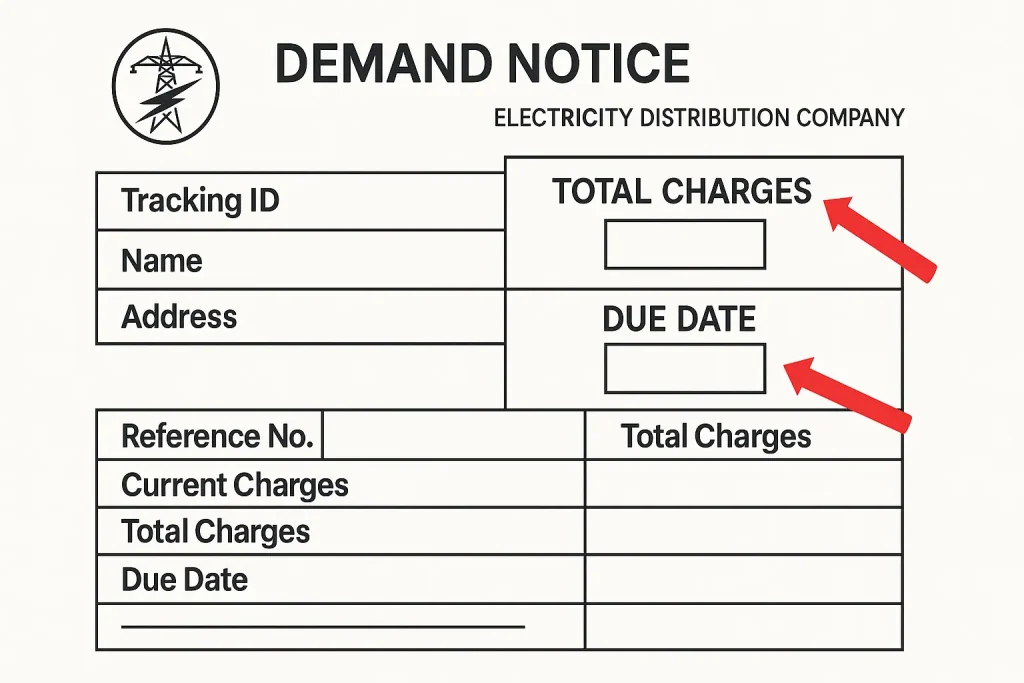
It includes the total cost for:
- Installation
- Service line extension
- Security deposits
- Meter installation
- Government taxes
Why Is It Issued?
Demand Notice is the pay receipt of your application, you have to pay the required amount after the application is submitted.
How to Check It Online?
if you want to download and get print of FESCO Demand notice, you have to visit the official website of ENC and enter your reference id, or consumer number in the box, and provide the details such as CNIC or Tracking id and you will get a PDF format File of your demand notice, Follow these steps to get download the demand notice and print it:
Payment Methods to pay Demand Notice Fee:
- Payment through Bank
- Online through internet Banking
- Mobile Wallets ( Jazzcash, Easypaisa)
- Through the FESCO App
Next Step after paying the payment
Submit the Hard Copy of Payment and demand notice in a file to Near by main head office of FESCO , make sure you have payment receipt attached with it.
Company agents will verify the documentation and payment confirmation
after getting all of the verification, you will receive a message on your phone number about the successful verification and about the confirmation of demand notice.
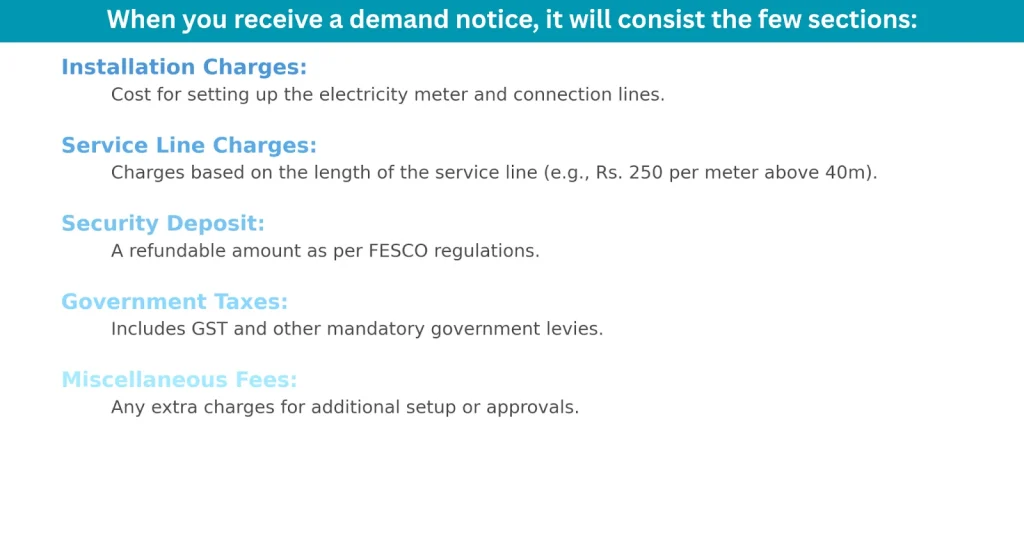
Components of the Demand Notice
How to Download and Print FESCO Demand Notice Online?
- Go to ENC Website
- Enter the required details such as ID Card, CNIC Number, Consumer id, Reference number and click on submit button
- You will see the new page , which shows the PDF File
- Click to open the PDF File
- Click on Print Button which is located at the end of the page
- You can get the PDF File print by shortcut [ Ctrl + P ]
- if you are trying to get the print of page on Android mobile, Go to Mobile Settings > Click on Print Button and print it.
How to Print FESCO Demand Notice on Windows?
- Open the ENC Official website
- enter the data like CNIC Number or Consumer id
- Click to Download the PDF File
- Click on the File to open it
- Right Click on the Button to open the File with Adobe Reader or PDF Viewer like Google Chrome
- Press ctrl + P [ both at once ]
- new pop up window will appear
- Click on the print button.
How to Print FESCO Demand Notice on Mac?
- Click to open the official website of ENC
- Enter the required data
- Click to download it
- Click on preview
- Go to top menu and click one the file after it got downloaded
- Now right click on it and select print option
- Wait for it to get a print online
How to Track FESCO Demand Notice
Visit ENC Portal System
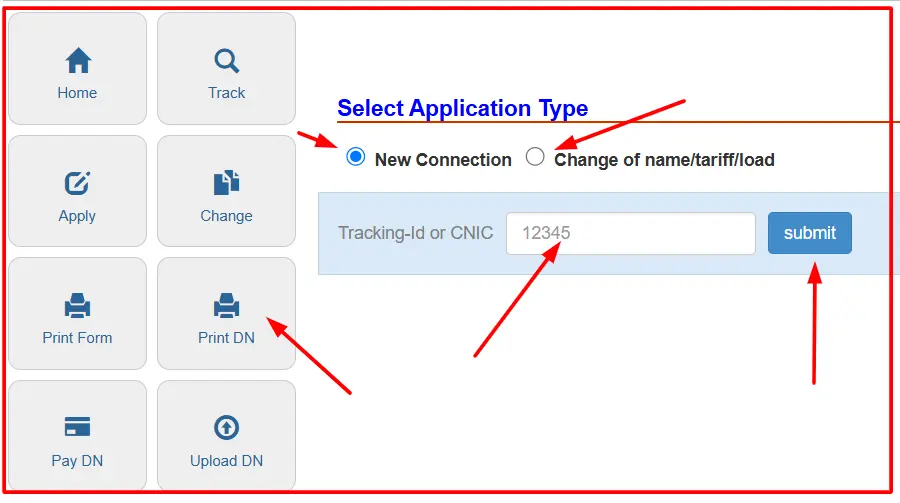
if you want to track demand notice, you have to visit the official FESCO website and go to ENC Webiste option and input your details’, you will find the different options such as apply, change, print form track demand notice, print, upload, download buttons.
Demand Notice Option
- Open the official website of ENC , go to new connection and change or name/tariff load button
- Select new connection > Go to Application Tracking section > input your details > Click on submit
- After clicking on the submit button, you will see the few notices like which are mentioned below, these status keep showing and changing till 60 days.
- Approval of Application
- Prepare and Track Demand Notice
- Verify Demand Notice
- Arrear Verification
- Site Verification
- Prepare SCE
- Prepare & Issuance of SCO
- Prepare Store Requisition
- Aproval of Soter Requistion
- Issuance of Material
- Connection Info Update
- Meter Installed
- Send info to RO
- In Progress
- Approve SCO
- Ready for Billing
How To Check FESCO Online Application Status
you can easily check your FESCO application status, under which phases, your application is passed and how many phases are remaining till getting complete
- you can go to ENC website
- Click on ENC portal
- Select New Connection button
- Choose FESCO
- Click on the application Tracking ID and Click on Submit Button and view the status of your application tracking.
Conclusion
in this article we have discussed in depth about the demand notice , how to pay it, and also its payment methods, why its necessary to pay it, you can find out the more details about it, let us know so we update this article, if you have any question, you can also contact with us.
FAQ’S
-
How to pay demand notice ?
you can pay demand notice by 2 methods, 1) by Visiting the office of FESCO 2) Online Payment method by banks
-
What is fee of demand notice on new connection?
there is difference of demand notice fee, you can check the updated price on the printed page of demand notice.
-
Best Way to Pay demand notice fee online ?
Paying the demand notice online , is one of the most best way to pay the demand notice by using different banks apps.
-
Which Banks Supports to pay the demand notice ?
Bank of punjab
Jazzcash
Easypaisa
and all of the other banks also. -
How to Download and print Demand notice ?
you can download and get a print of demand notice from official website of ENC by entering your deta in the given box and click on submit and click on the button to download it.